
Intuit
Sales Orders
Order-to-invoice for millions — Desktop PO parity, manufacturing flows.
Highlights
- Designing Sales Orders in QuickBooks Online, used by over 36 million companies worldwide, reducing manual accountant effort across order-to-invoice.
- Introduced Purchase Order capabilities carried over from QuickBooks Desktop, closing parity gaps for migrating customers.
- Building AI-powered product enhancements to automate repetitive accounting tasks and surface proactive insights for accountants.
- Led multiple rounds of customer research with accountants and small businesses.
Proving out an AI-first seller vision
Intuit Design for Delight
Proving Out an AI-First Seller Vision
Two-day workshop process: diverge, converge, re-ground, converge, experiment
-
Deep Customer Empathy
Service Blueprint + JTBD Seller pain, shared baseline
Day 1 · 10:30 AM -
Go Broad
Define “autonomous,” build AI-native inspiration, ideate 4 groups, unconstrained futures
Day 1 · 12:45 PM -
Go Narrow
Prototype, share out, surface top 6-8 jobs + assumptions “What needs to be true?”
Day 1 · 2:45 PM -
Re-Ground in Empathy
VPs join, Blueprint revisit Sales Leaders add field color
Day 2 · 8:35 AM -
Prioritize & Sequence
Dot vote on seller impact E2E story readout to VPs
Day 2 · 10:15 AM -
Rapid Experiments
Quick wins + phased pilots Architect gut-checks
Day 2 · 12:30 PM
- Deep Customer Empathy
- Go Broad
- Go Narrow
- Rapid Experiments
Day 1 · Apr 22Day 2 · Apr 23
A case study from QuickBooks Online
Rebuilding sales orders for QuickBooks
Customers were using sales orders. They just couldn’t finish with them, because every next step meant typing the order again.


The record that runs the order
A sales order is a non-posting transaction that records a customer’s request to buy specific goods at agreed prices and terms. It reserves stock and kicks off fulfillment. Every step after it reads from it.



I designed for small and mid-market product businesses: makers, distributors and manufacturers who live in this world every day.
People wanted it. Most didn’t come back.
Before the redesign, only 40% of first-time users created another sales order within 60 days. The product had demand, not fit.
Most product businesses never reached it
active product-based businesses
landed on the sales order page, 11%
created one, 2.84%
used it with inventory products, 1.12%
Bars not to scale. Source: QuickBooks Online usage dashboard.
700+ pieces of feedback, two clear themes
“I lack a streamlined way to convert estimates to sales orders, create invoices from sales orders, or generate purchase orders for out-of-stock and drop-ship items.”
The customer problem statement. This one problem drove 28% of negative feedback on sales orders.
We went to the floor before we opened Figma
I visited factories and warehouses, then synthesised everything with the team at Intuit’s Mountain View office. Amplitude showed where people dropped off; usability sessions showed why.
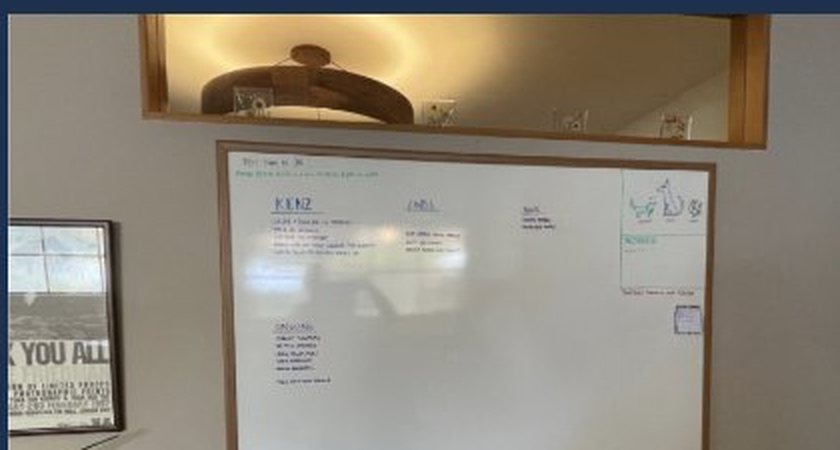
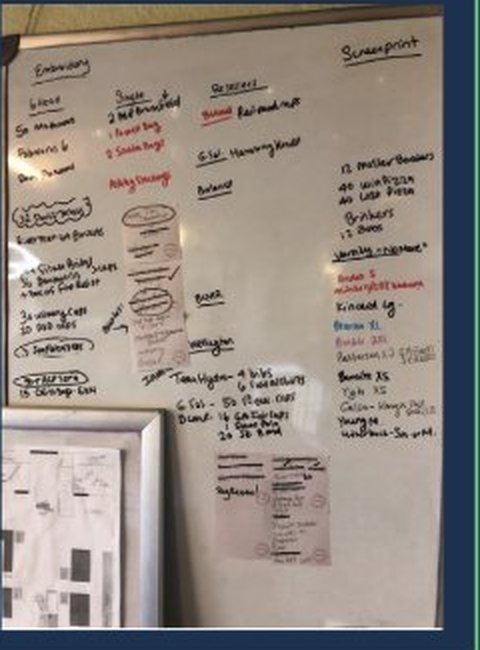
Customers saw the sales order as the beginning of buying, making, shipping and billing, which is why retyping each next step hurt so much.
Whiteboards ran the floor because the screen couldn’t show where an order was.
People converted a sales order, then immediately corrected the purchase order it produced. So we fill in only what’s certain, and say why.
Three North Star numbers defined fit
Repeat use
Monthly active users
Desktop parity
The first fix didn’t work. The second did.
We shipped a quick fix for one problem and it didn’t move the KPIs. So we stepped back, changed how we worked, and rebuilt the order in phases.
Attempt one
- Found it. Retyping to convert drove 28% of negative feedback.
- Flagged it to product and leadership.
- Shipped a quick fix for one part of the problem.
- The KPIs didn’t move toward 60% repeat use or 30k monthly users.
Attempt two
- Test first. Define the scope and the process before designing.
- Five scopes: link, customize, find, money and trust, and AI. Linking first.
- Rebuilt in phases: linking, then templates and statuses, AI autofill, deposits and many-to-one invoicing.
- It moved: 1,977 to 13,210 monthly users.
Desktop got the hard parts right
Sales orders came from QuickBooks Desktop, decades-old software. Our brief: keep its power, lose its weight.
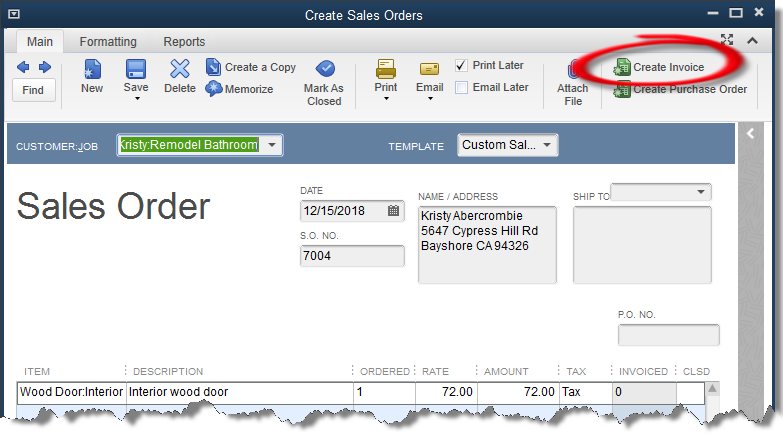
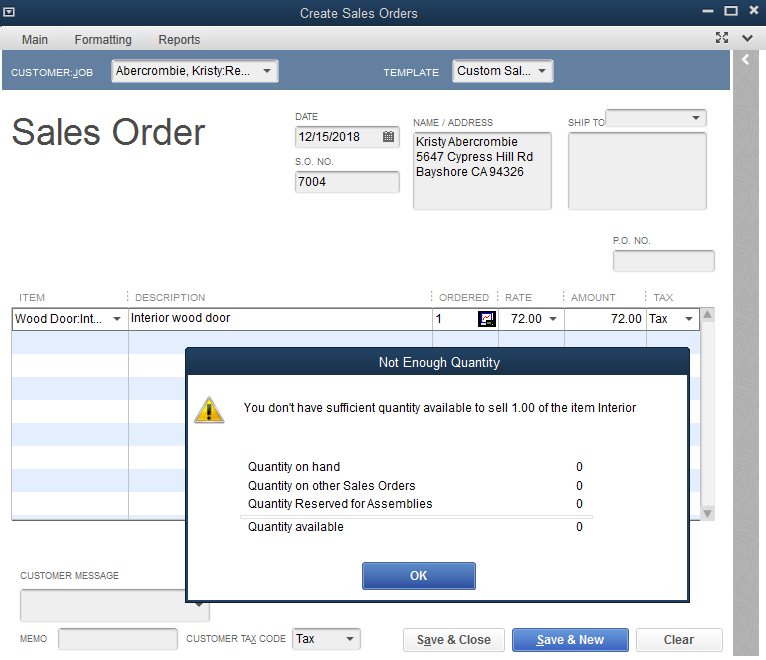
What we kept
Convert from the order
Stock check before you promise
Customer context on the form
Templates for pick lists and packing slips
What we changed
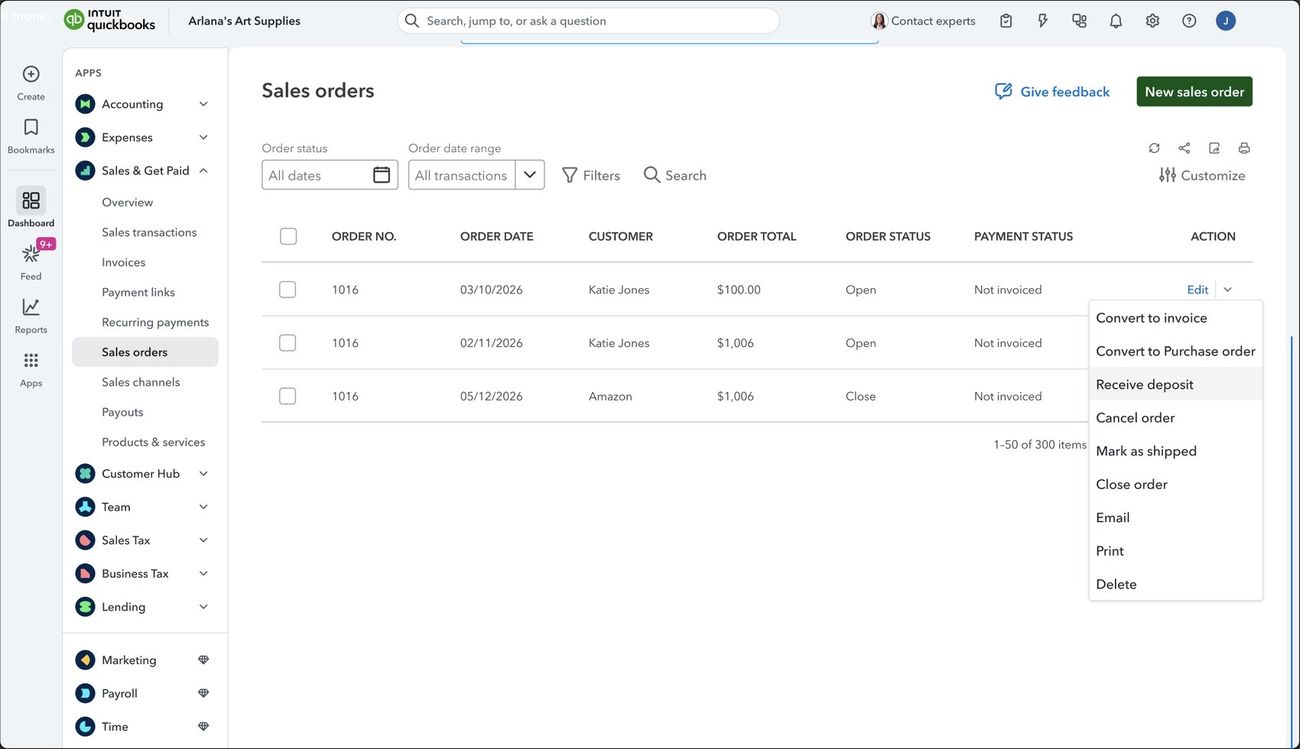
A toolbar of buttons became one Action menu
Blocking pop-ups became status you can see
One desktop became anywhere, online
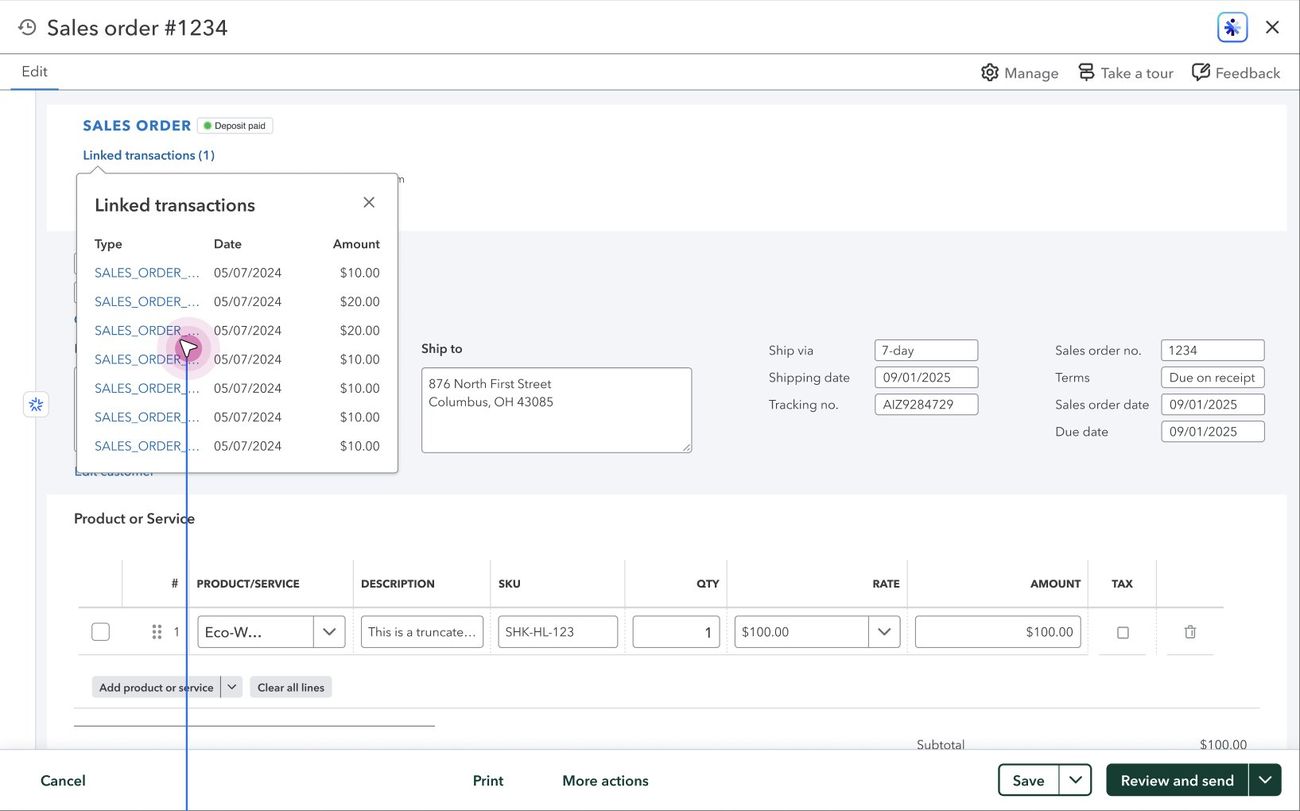
Deposits off to the side became deposits on the order
Every big call changed because of evidence
Fix everything customers asked for.
Linking alone drove 28% of negative feedback.
Linking first, inside five scopes.
One sales order, one invoice.
8,731 invoices were already built from several orders by hand.
Many sales orders onto one invoice.
Auto-split one purchase order per vendor.
It added risk to the core conversion.
Kept auto-split as a later stretch goal.
A deposit is just a payment on the order.
It’s a liability, and passing it along wrongly counts it twice.
Reused the proven deposits-on-estimates accounting pattern.
Ship-to addresses can wait.
13.9M Desktop customers use several ship-to addresses.
Made it the first FY27 item.
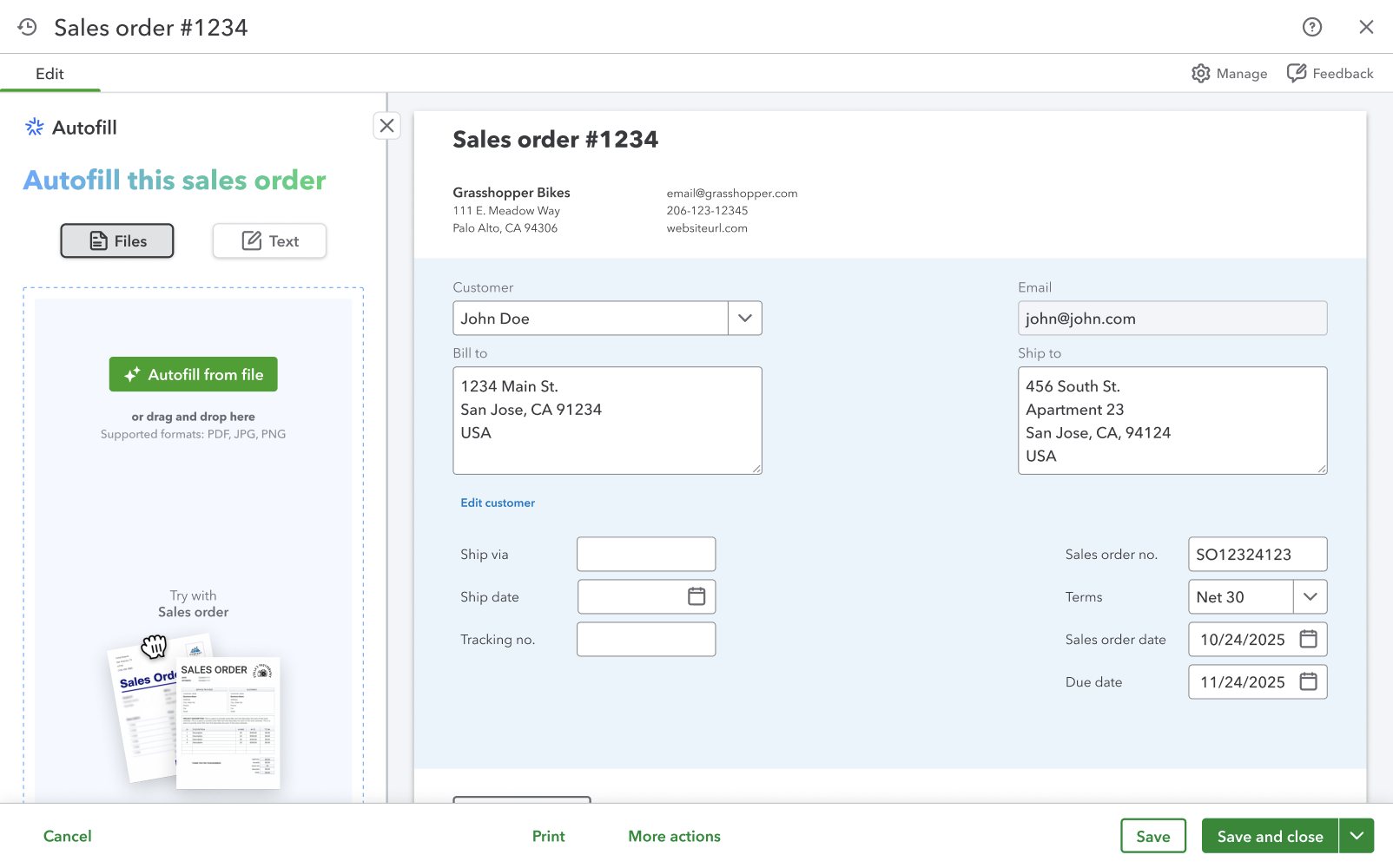
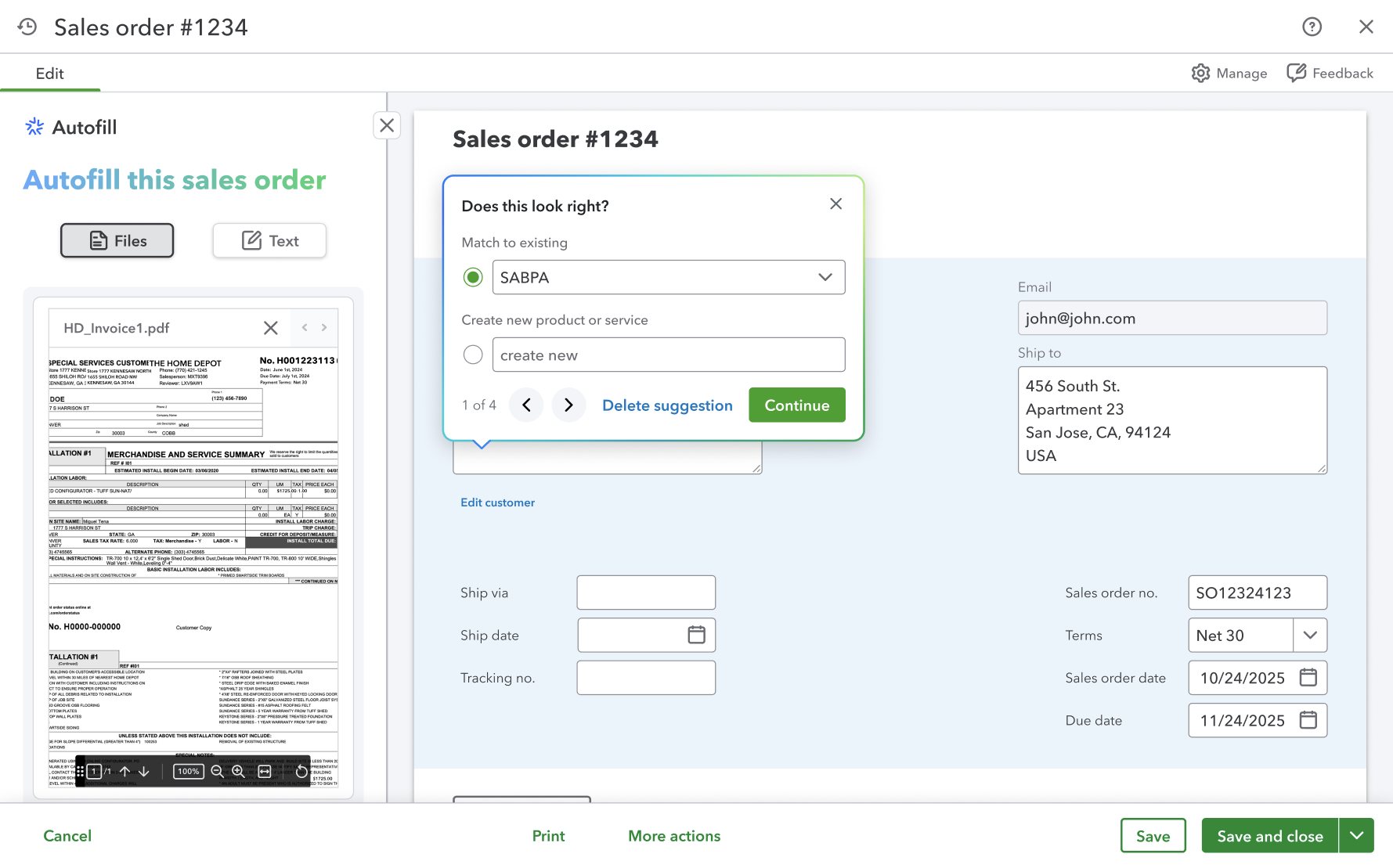
AI autofill: every customer writes orders differently
Owners receive purchase orders from their customers in every format and retype each line into a sales order. Customers in different regions write orders in different ways, so the AI has to read each one, and a wrong line is worse than an empty one.
A pill or a drawer?
AI entry points at Intuit have a dedicated pattern, and that started an internal debate about the right component. We worked it through with the wider design team against the QuickBooks design system and its values, then tested both.
How autofill works
Manufacturers build on deposits, not promises
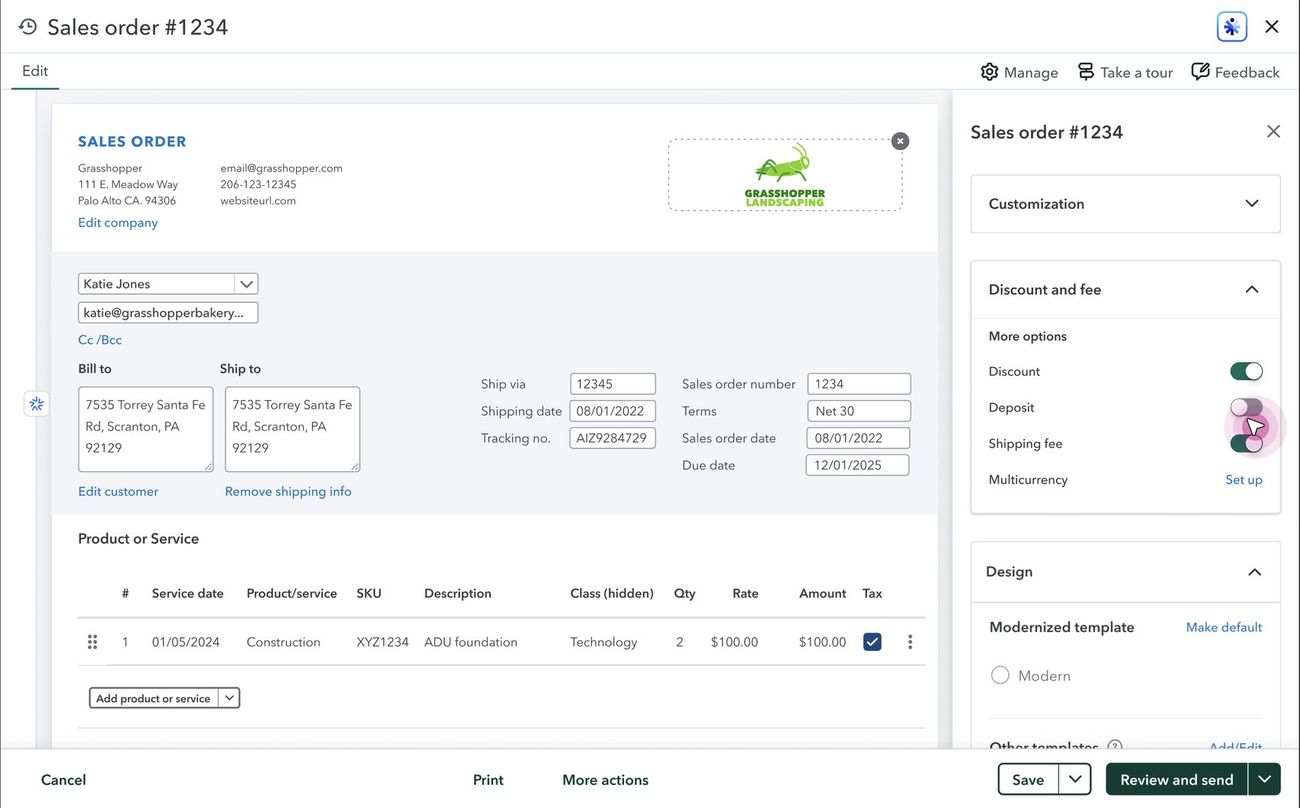
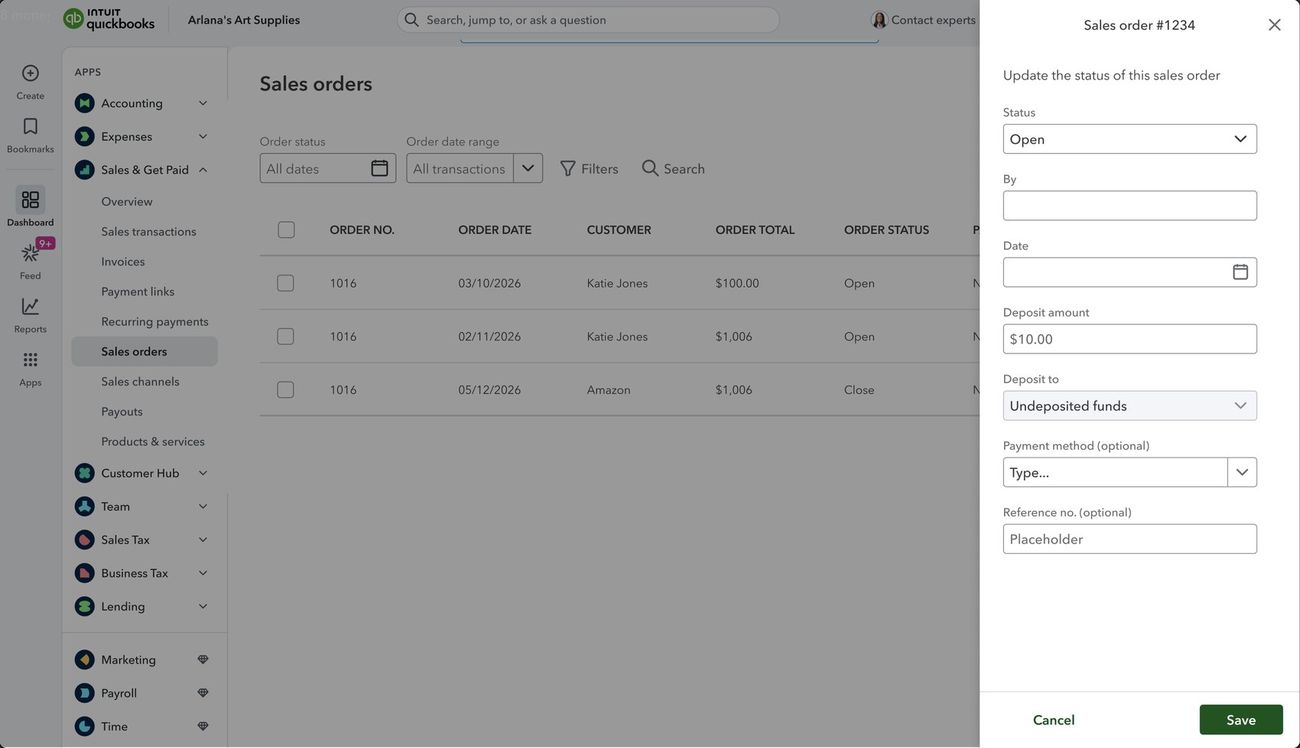
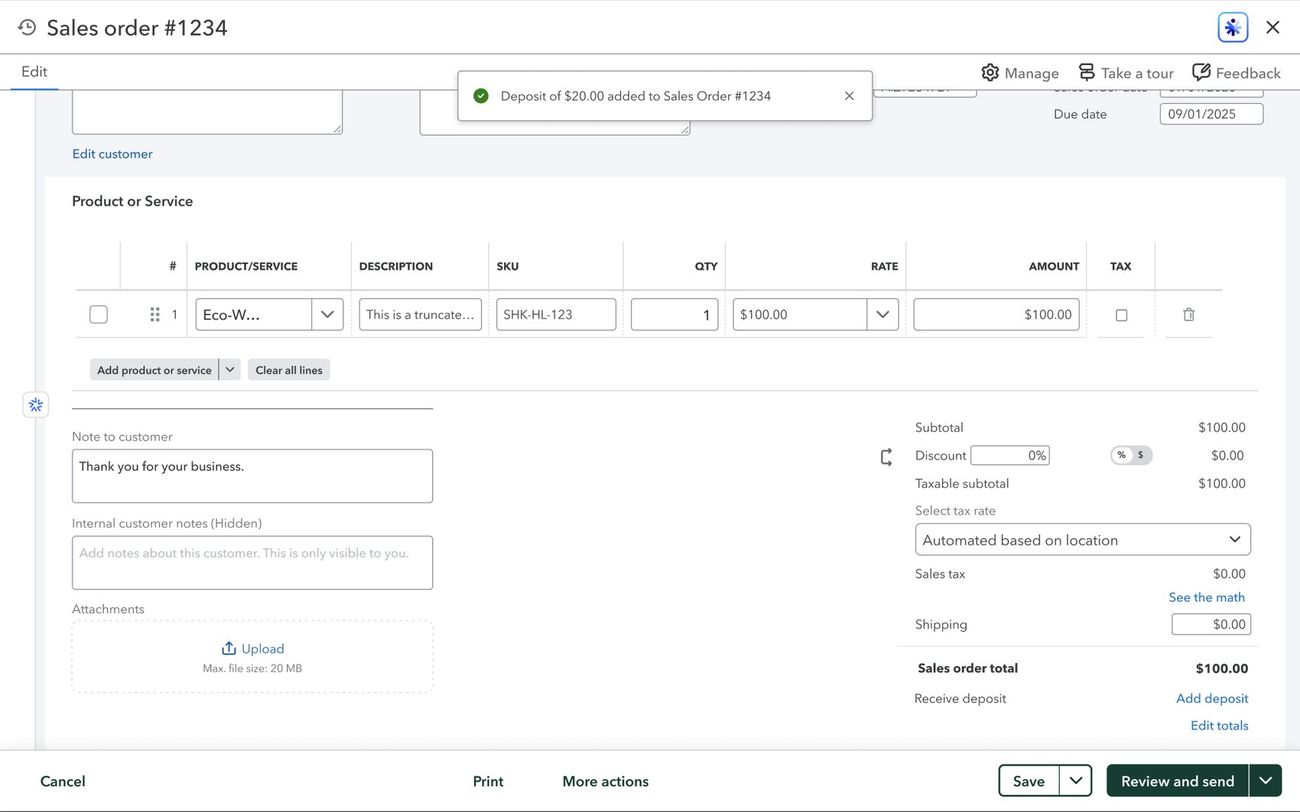
A maker pays for materials long before the customer pays them. Deposits had to live on the sales order, without ever letting the books lie.
Illustrative timeline.
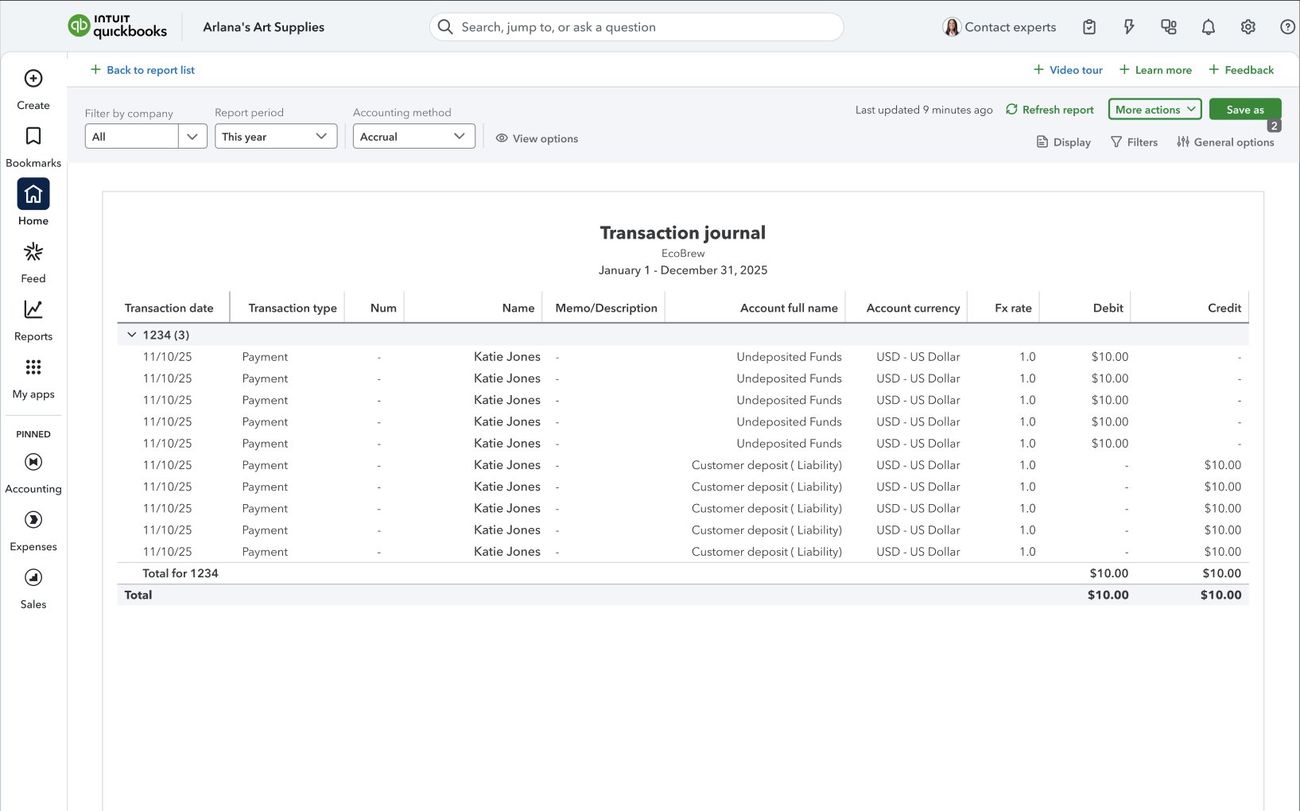
A deposit isn’t income. It’s money you owe back.
Passed from estimate to sales order to invoice the wrong way, it creates double journal entries. What was broken in Online:
Built on the system, argued in the open
We worked inside the QuickBooks design system, and when a pattern didn’t fit, we debated it before adding anything new. Every screen followed the QuickBooks content principles.
We designed around a business owner’s Friday, not our data model.
“Receive deposit” and “Convert to purchase order”: words owners already use.
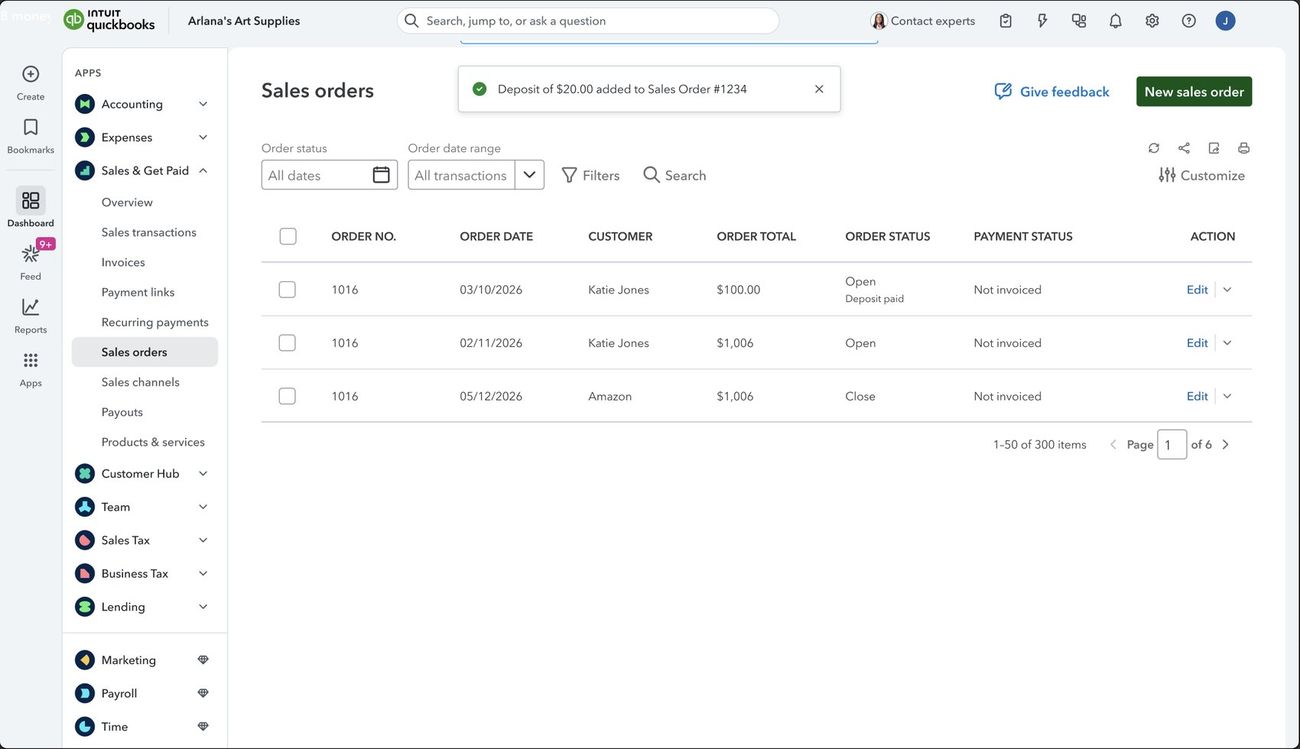
Every confirmation says what changed and where.
The deposit drawer asks only what a deposit needs.
We never guess a vendor or a balance, and we say why a field is blank.
The pill or drawer debate ended with data, not opinion.
Carry it, then hand it off
For the first three quarters I carried sales, purchase and manufacturing orders myself. Once it stabilized, two designers took over purchase and manufacturing orders with a free hand, and I moved to guiding them.
Personal flows and mapping first, then team jam sessions to make decisions together.
Early buy-in from engineering, so constraints shaped the design instead of breaking it late.
Ship It, for faster internal bug fixes, and Snap comment, to log Jira bugs straight from a comment.
Early arguments came from unclear definitions. We tested first, defined the work and the process, then designed.
6.7× more customers, every month
Customers creating a sales order each month, QuickBooks Online usage dashboard. 44% of the way to the 30k goal.
Adoption grew, but growth alone doesn’t prove design caused it. The before and after monthly figures may count different customer bases, so I read them as direction, not attribution.
The order keeps growing
Next on the roadmap: several shipping addresses, custom tax rates, linking to manufacturing orders, drop-ship parity, partial conversions and printing shipping labels.
If I did it again, I’d use AI to change how we work from day one: a new workflow for talking to customers, closer collaboration, and faster feedback so we refine sooner.
Clarity first saved us a second rebuild.
Every decision above has a number behind it.
And build tools that make everyone faster.
Anuj Bhargava, Lead Product Designer at Intuit, Bangalore.