
Beegru
Agentic real estate
MVP in 2.5 months. Agents stay in the loop before AI publish.
Highlights
- Scaled an agentic real estate platform to 60,000+ agents and Rs 5 crore+ in closures; shipped MVP in 2.5 months with a supply-side-first approach.
- Designed agent-AI marketing workflows with a human-in-the-loop.
What we're covering
The platform principles every flow had to respect.
- Trust & data privacyUsers' data will not be sold to business users.
- AffordableAffordable monthly subscription for business users, and free for property seekers.
- Open platformEvery business user in the real estate market can be discovered by all users.
- Freemium modelBusiness users can start free and later take the affordable subscription.
- Non-predatoryTraffic generated by active users will not be diverted only to the highest-paying users.
- Ad freeUser-generated content integrates with the platform and does not appear as ads.
- ModeratedThe majority of popular posts, properties and service listings will be moderated.
- ScalableGlobally scalable, with multilingual support.
- Property social networkAll users can create an online profile and post to increase their visibility in their location.
Service blueprint: a builder's broadcast
Expectation: easily reach the correct and maximum number of leads to complete the requirement. The blueprint maps how a builder reaches agents with a broadcast, across what they do, what they see, the work behind the scenes, and the systems that make it run.
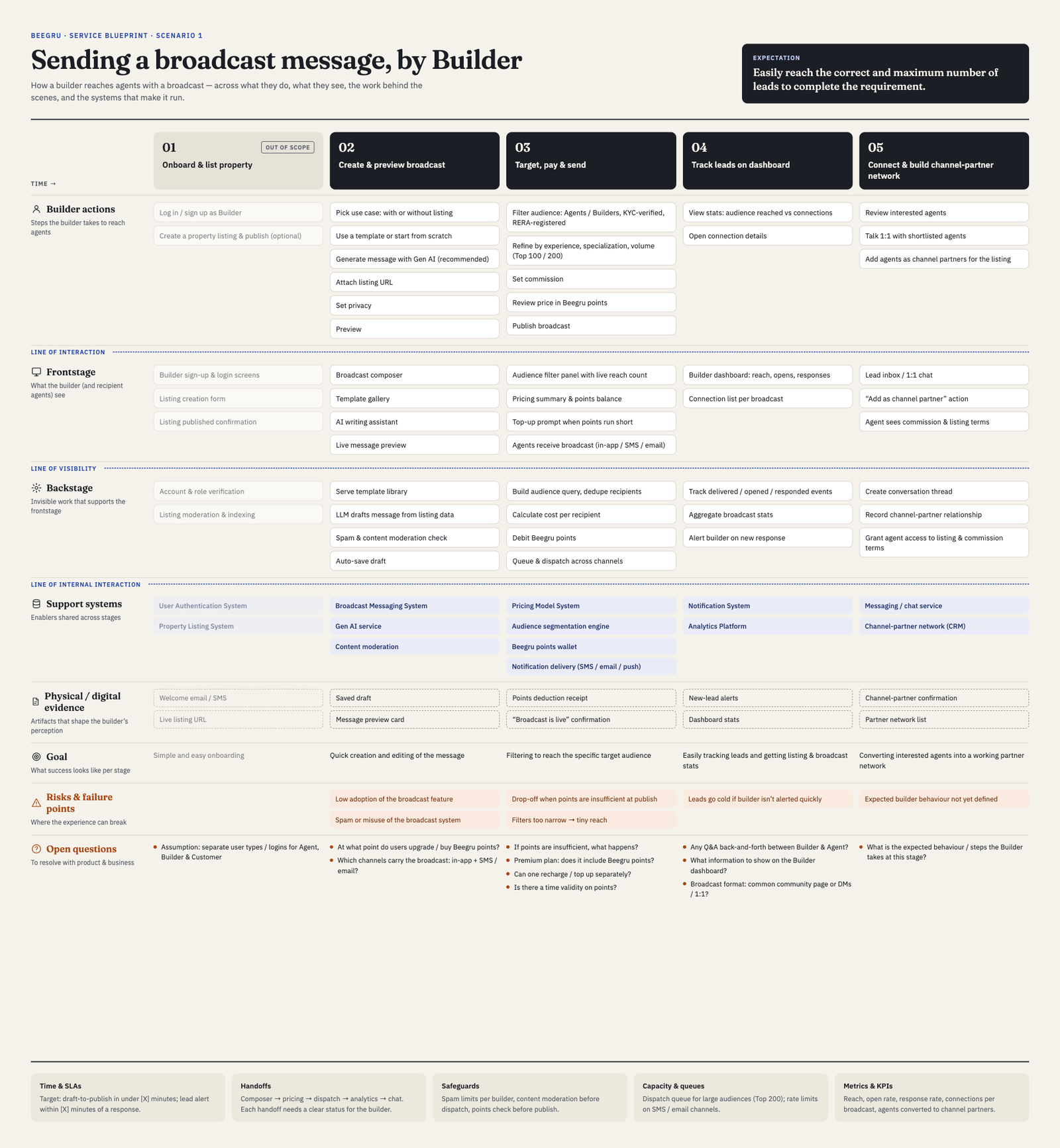
- 01 · Onboard & list propertySimple and easy onboarding. (Out of scope for this scenario.)
- 02 · Create & preview broadcastQuick creation and editing of the message, with a Gen AI writing assistant and templates.
- 03 · Target, pay & sendFiltering to reach the specific target audience, priced in Beegru points.
- 04 · Track leads on dashboardEasily tracking leads, and getting listing and broadcast stats.
- 05 · Connect & build a channel-partner networkConverting interested agents into a working partner network.
Risks and failure points
- Low adoption of the broadcast feature, and spam or misuse of the broadcast system.
- Drop-off when points are insufficient at publish, and filters so narrow they give a tiny reach.
- Leads go cold if the builder isn't alerted quickly.
Designing the broadcast flow
The blueprint set the goal: help a builder easily reach the correct and maximum number of leads. Broadcast is how that happens on screen. A builder, owner or agent picks a listing and sends it to the right agents on Beegru, in one guided flow.
Six flows, one pattern
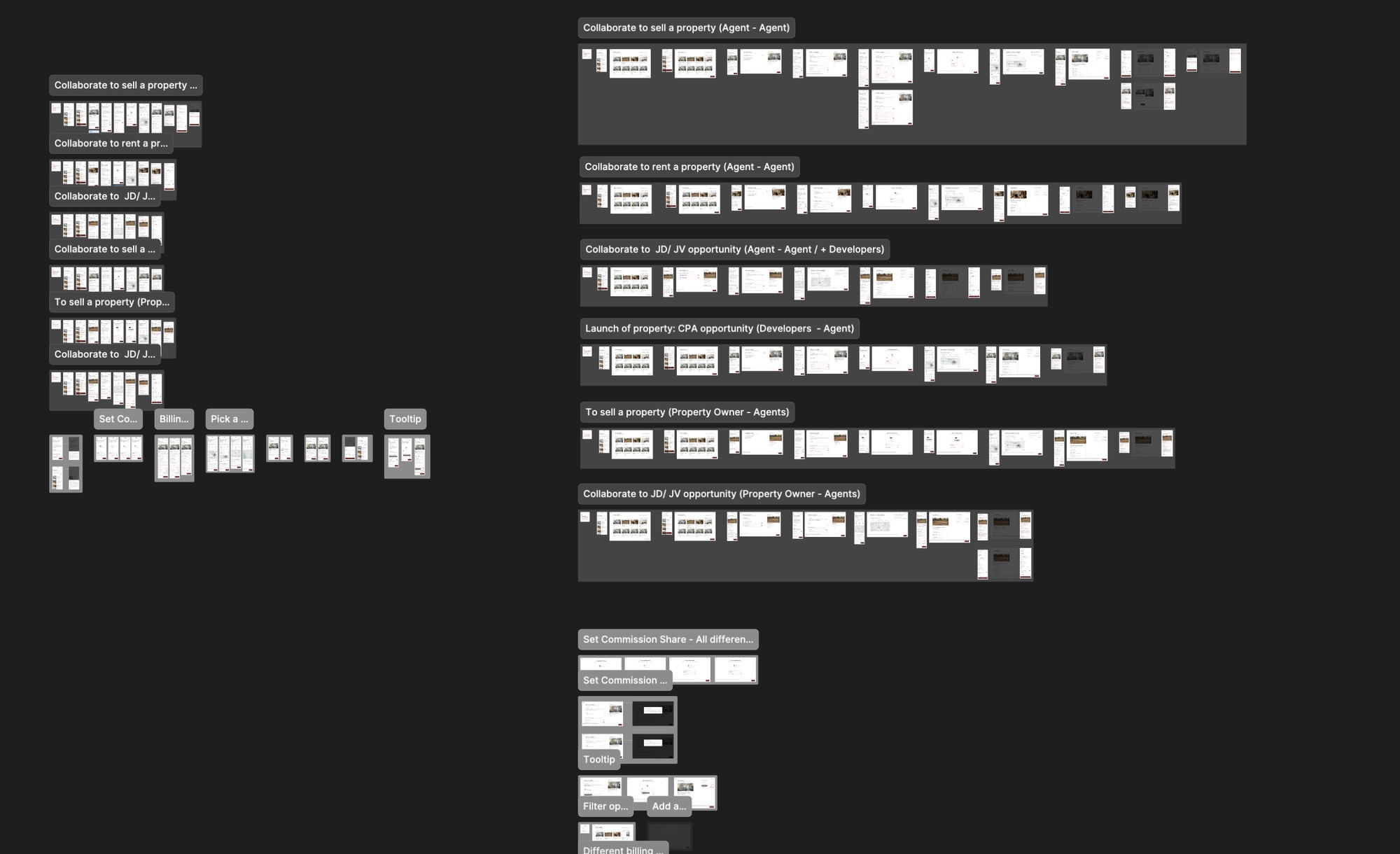
Broadcast had to serve six different deals. Instead of six different products, each one runs through the same short flow, with only the step that differs changing between them.
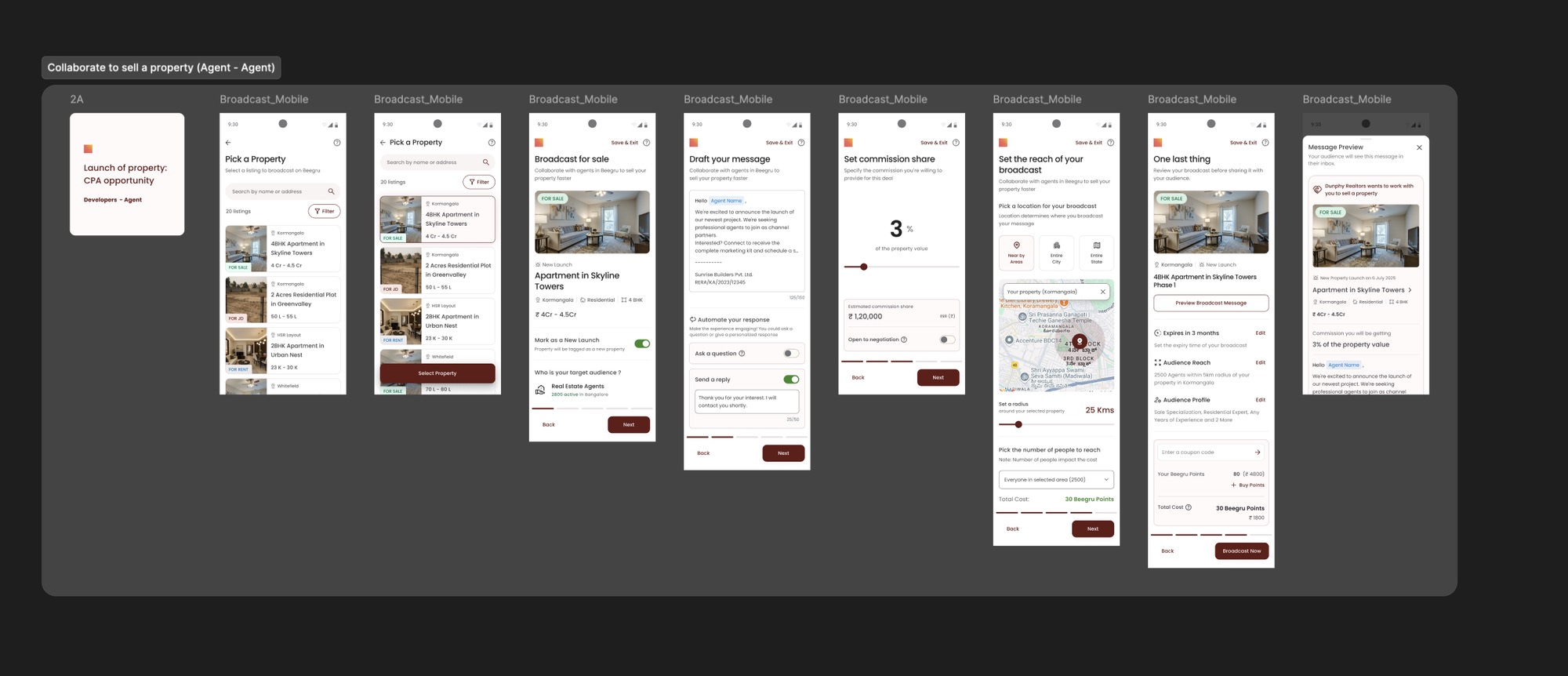
- Collaborate to sell a property (Agent – Agent)
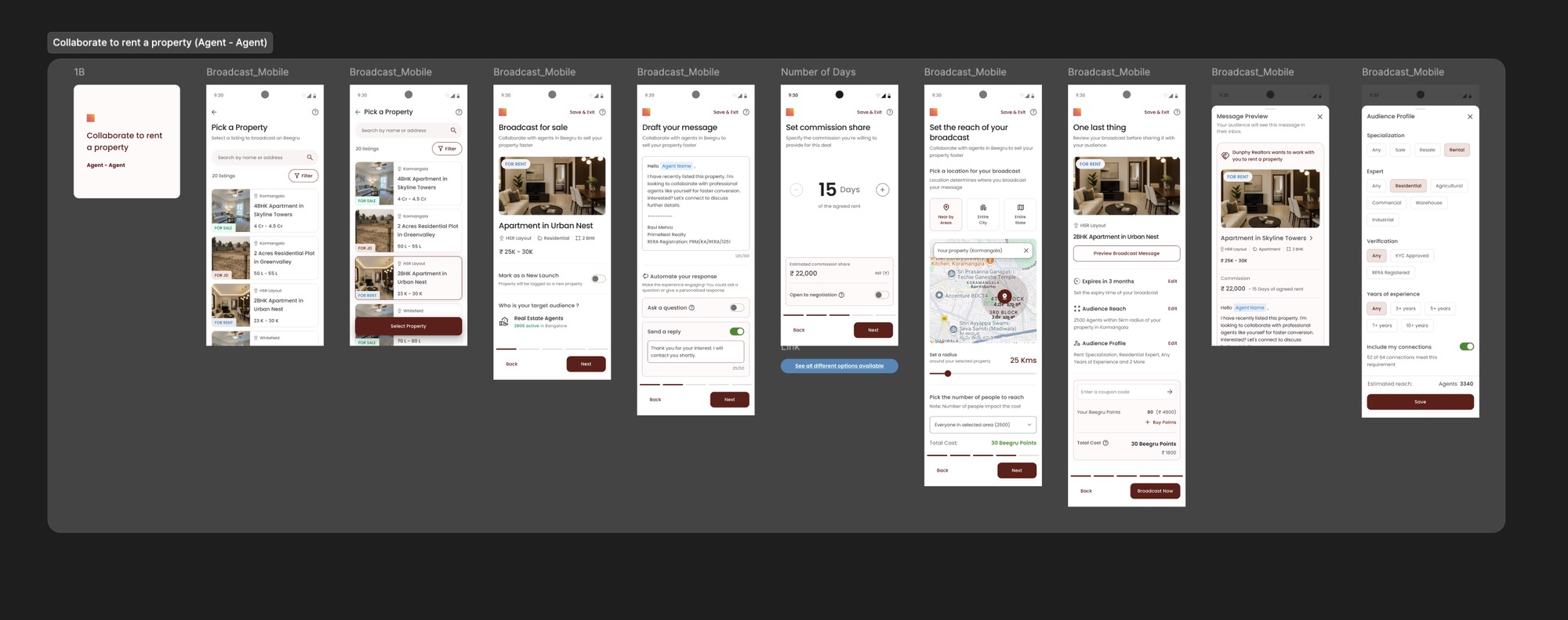
- Collaborate to rent a property (Agent – Agent)
- Collaborate to JD / JV opportunity (Agent – Agent / + Developers)
- Launch of property: CPA opportunity (Developers – Agent)
- To sell a property (Property Owner – Agents)
- Collaborate to JD / JV opportunity (Property Owner – Agents)
The flow, step by step
Shown here for selling a property. A five-part progress bar at the bottom tells people exactly where they are, and Save & Exit is always one tap away.
01
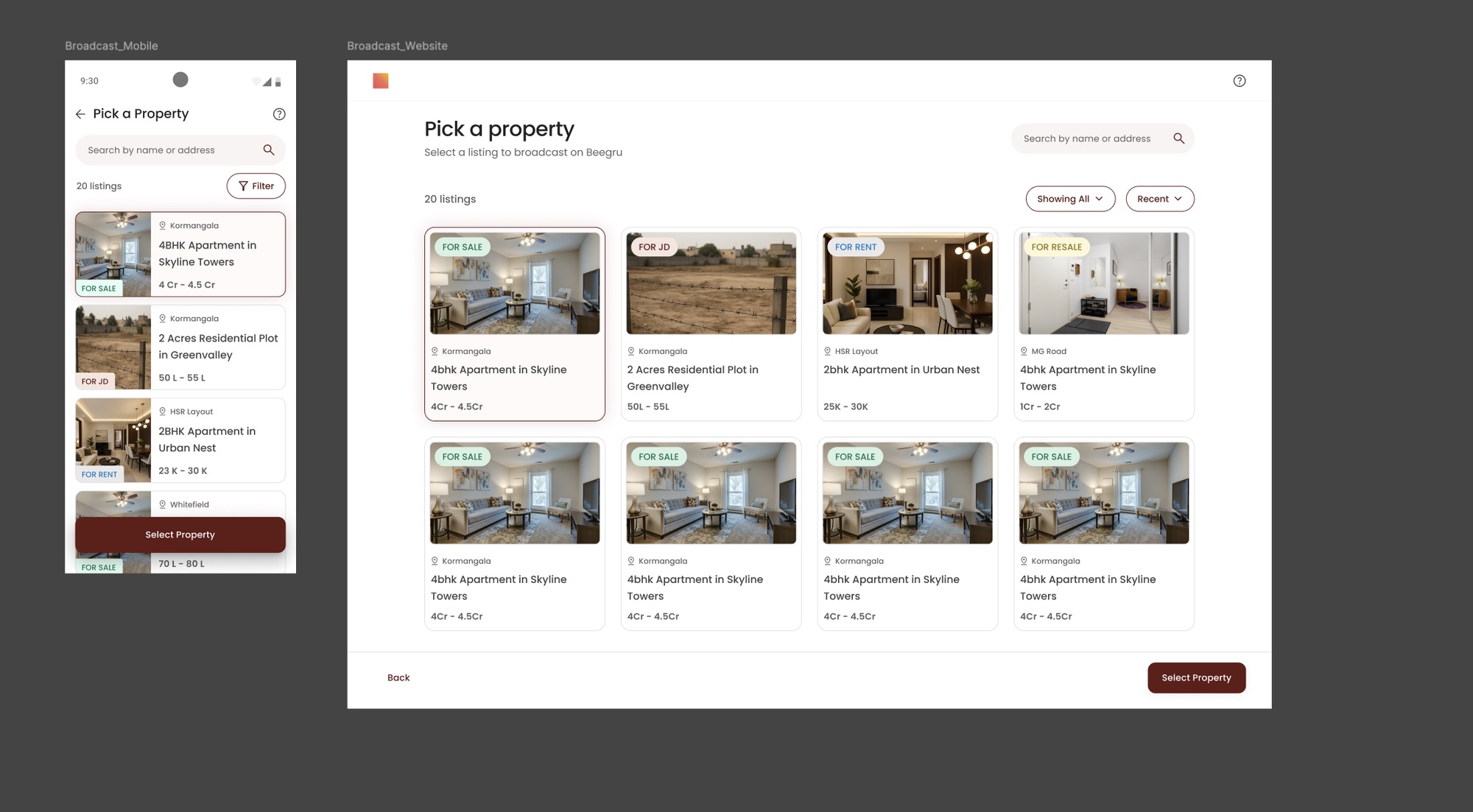
Pick a property
“Select a listing to broadcast on Beegru.” Every listing shows what it is for at a glance: For Sale, For JD, For Rent, For Resale.
Mobile and web share one layout, so the same flow works wherever the builder or agent is.
02
Who is it for
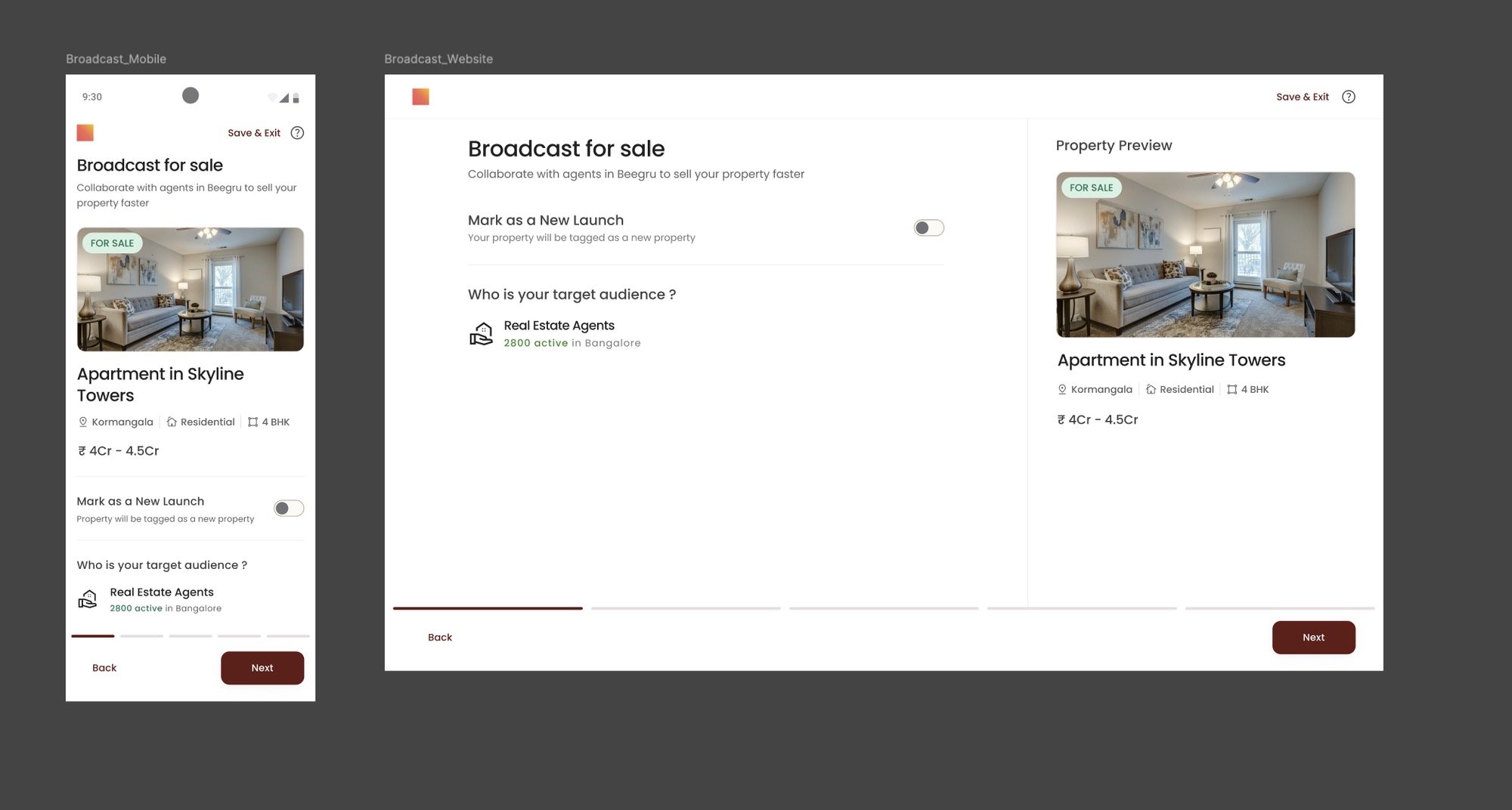
“Collaborate with agents in Beegru to sell your property faster.” The builder can mark it as a New Launch, and sees the audience up front: Real Estate Agents, 2800 active in Bangalore.
On web, the property preview stays on the right through every step.
03
Draft your message
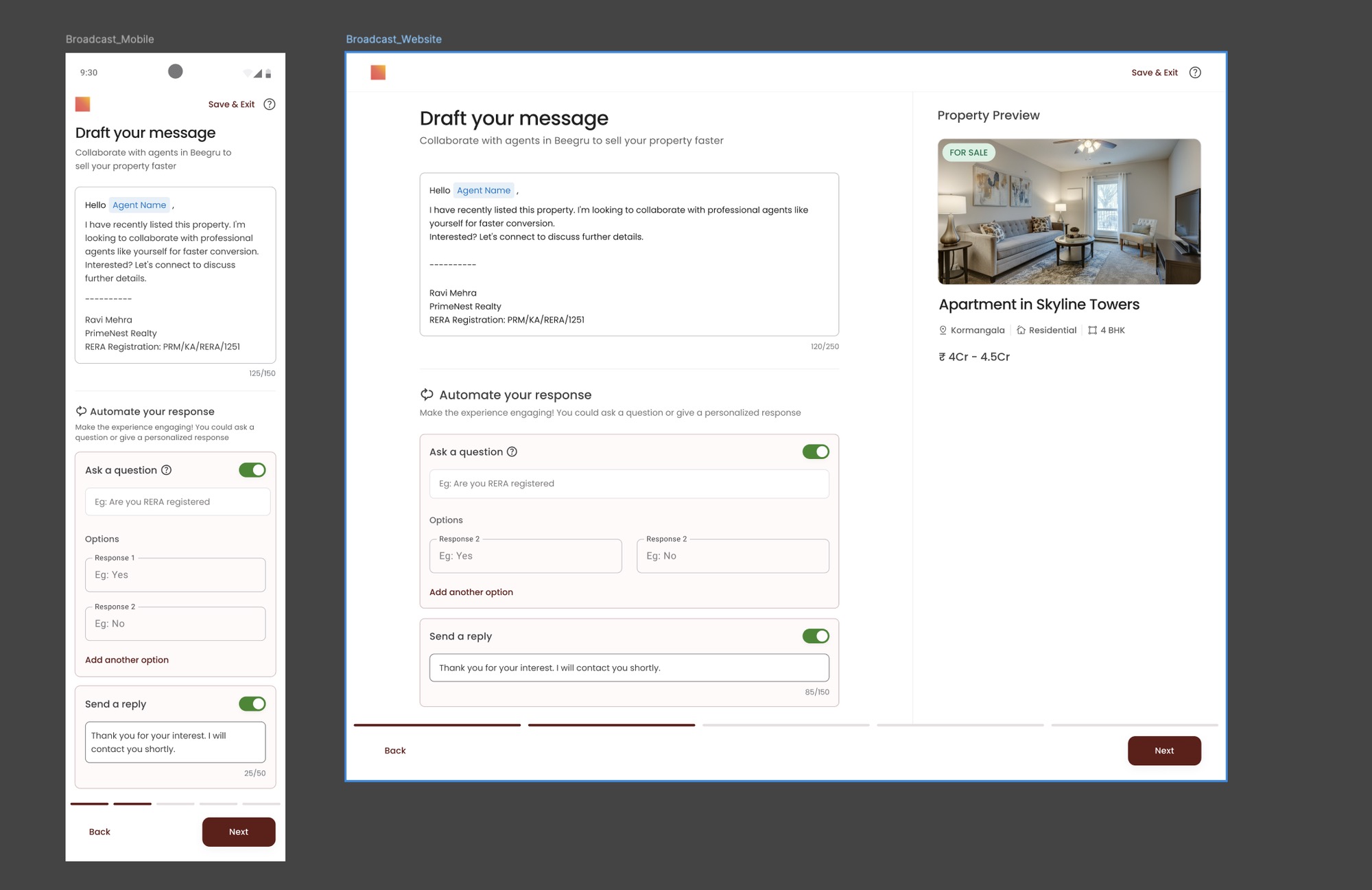
The message starts from a template that greets each agent by name and signs off with the sender's details and RERA registration.
“Automate your response”: ask agents a question with set answers, like “Are you RERA registered?”, or send an automatic reply such as “Thank you for your interest. I will contact you shortly.”
04
Set the reach
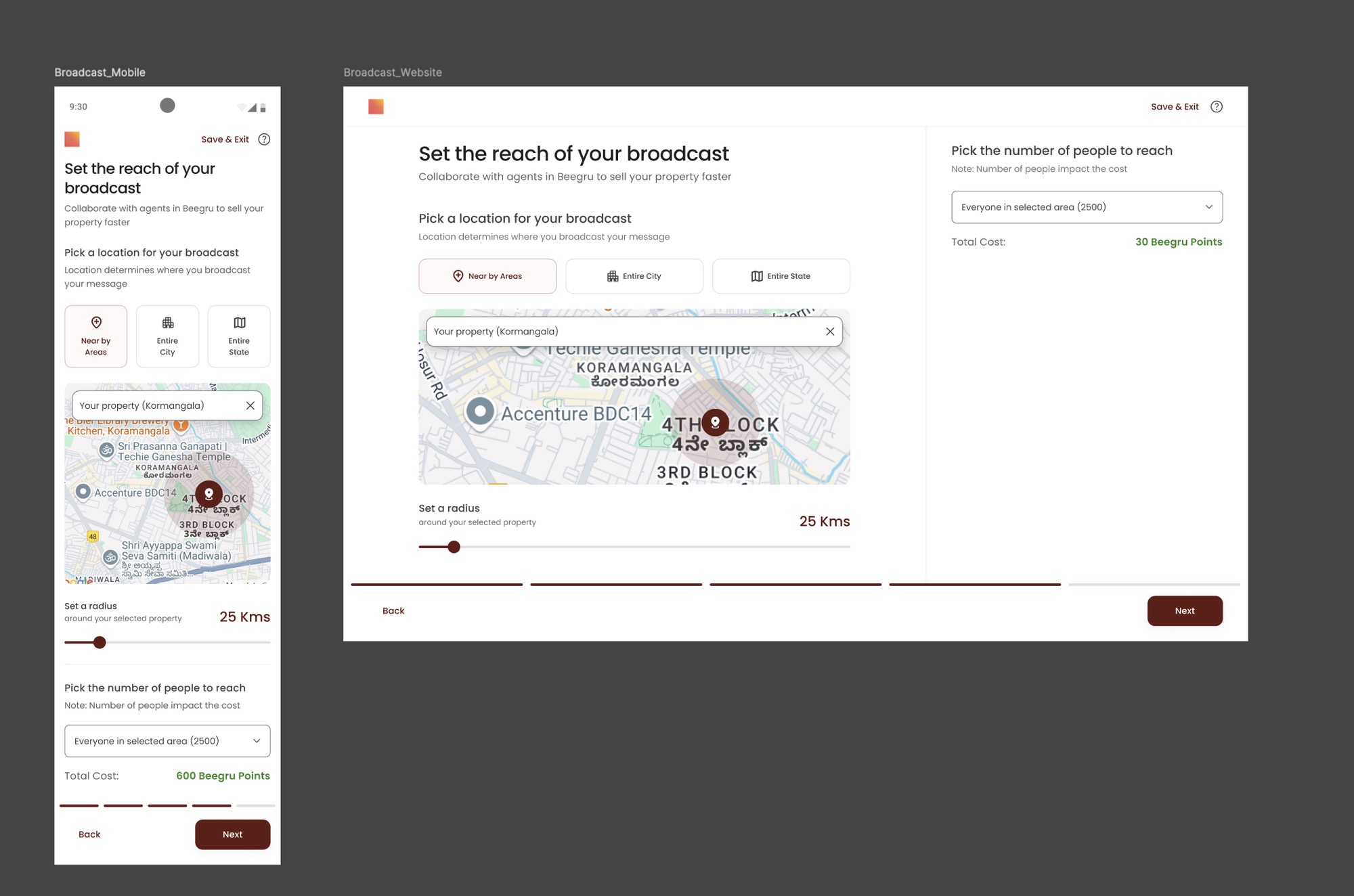
Pick where the broadcast goes: nearby areas, the entire city or the entire state, with a radius around the property on a map.
Then pick how many people to reach. “Number of people impact the cost”, and the total in Beegru points updates as you choose.
05
One last thing
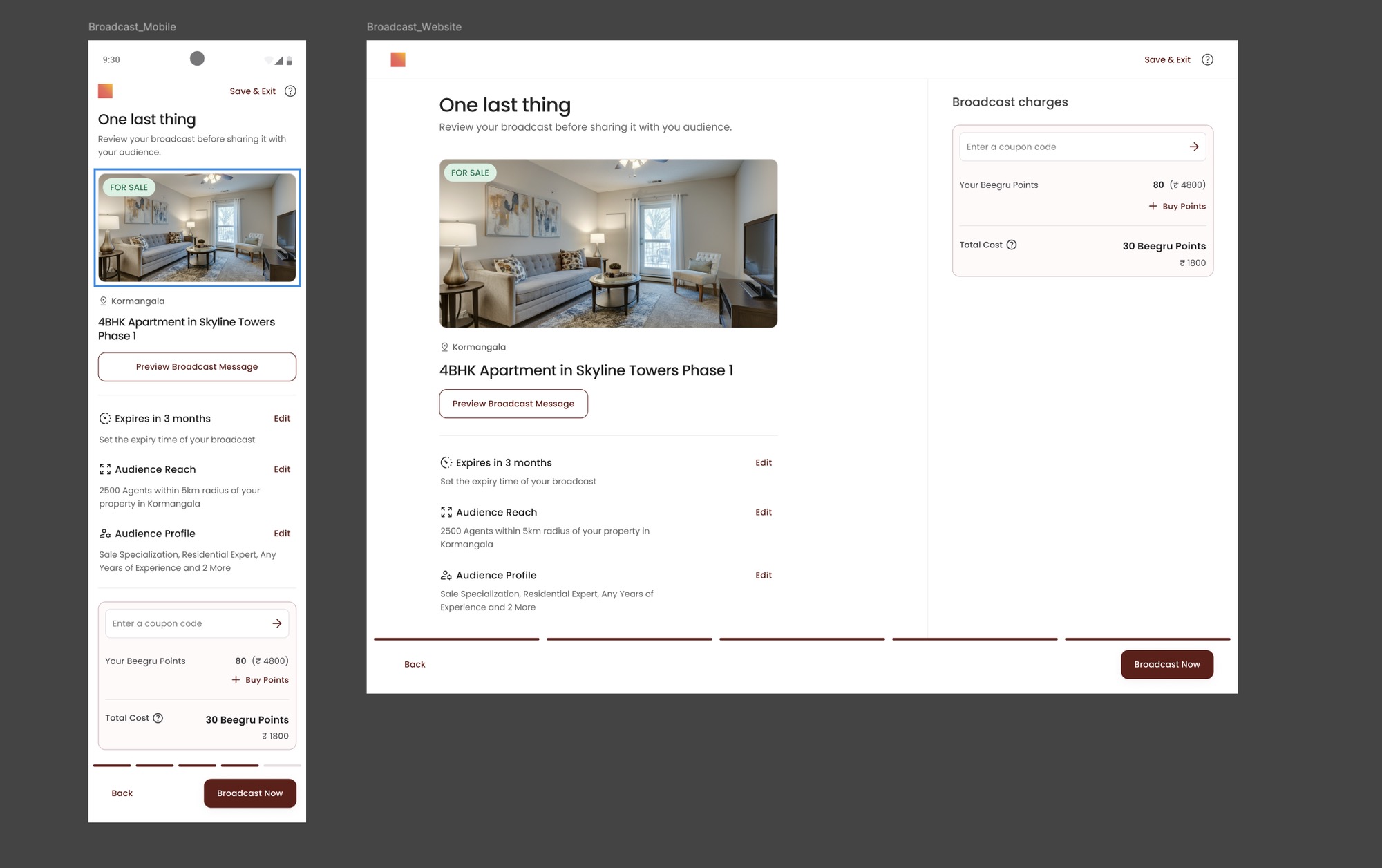
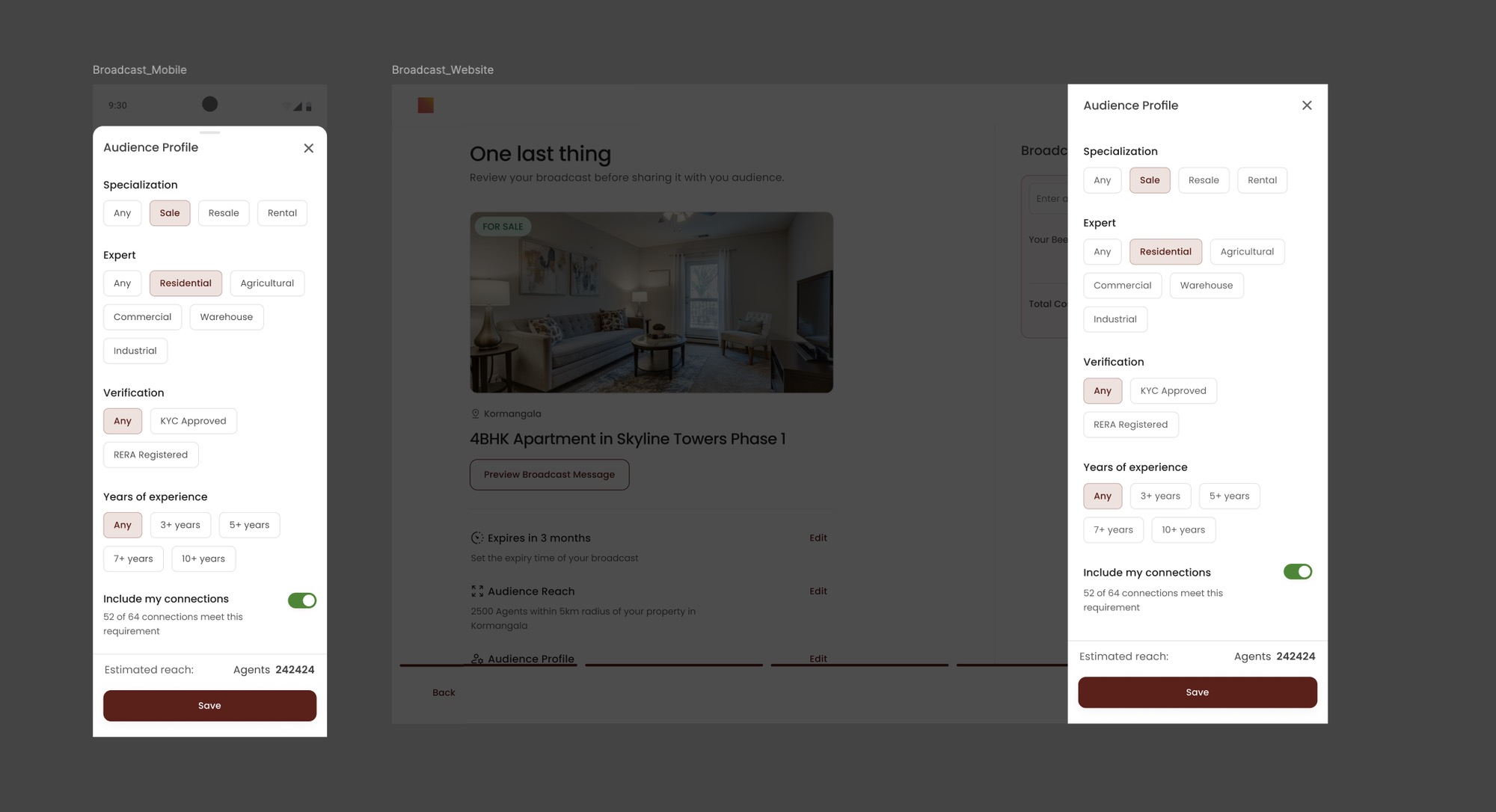
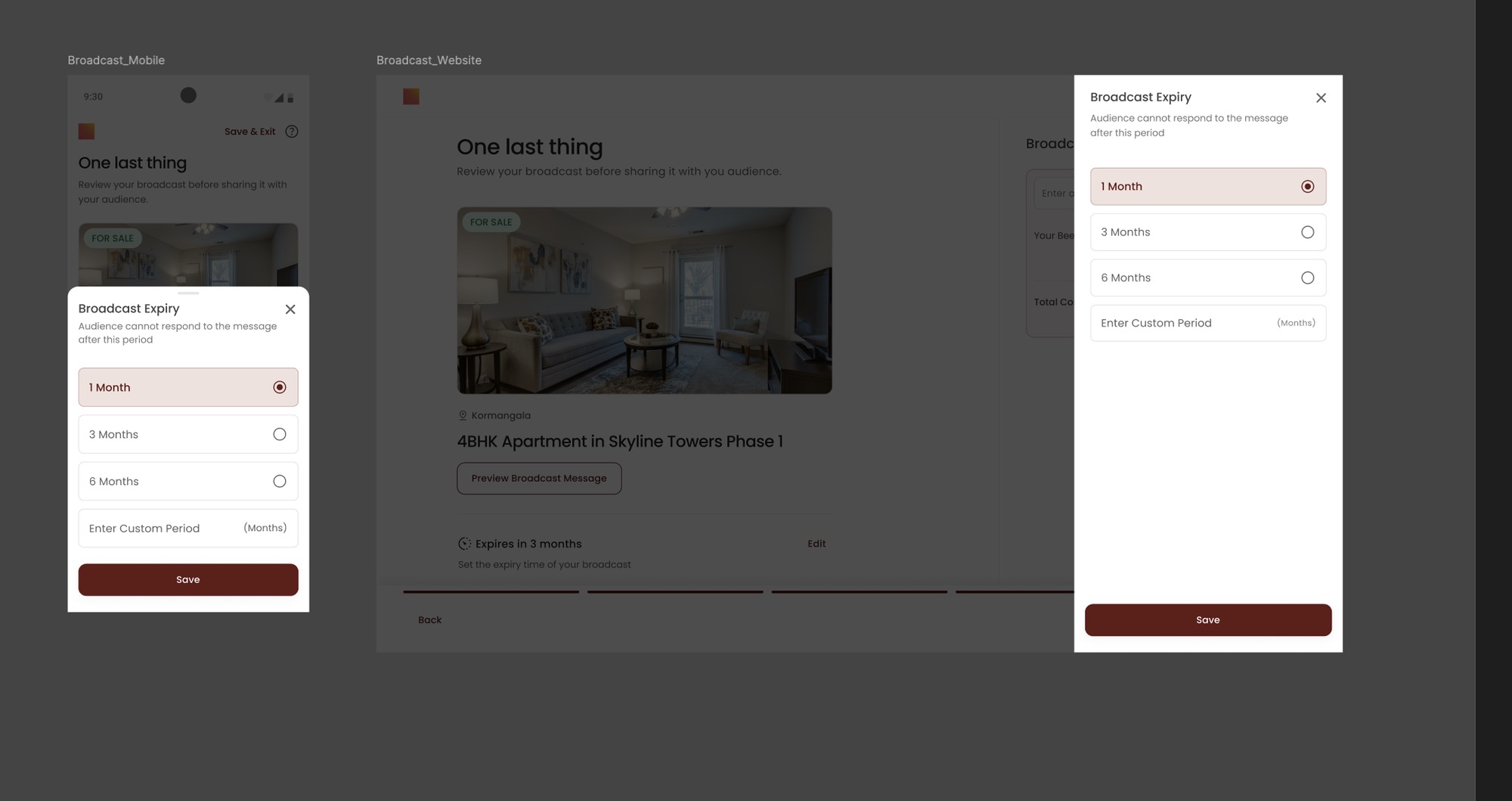
“Review your broadcast before sharing it with your audience.” Expiry, audience reach and audience profile each have an Edit link right where they are summarised.
Cost sits next to the Broadcast Now button: coupon code, your Beegru points balance, a Buy Points link and the total.
Details that decide the reach
Editing happens in place. On mobile it opens as a bottom sheet, on web as a side panel, so the review never gets lost.
Same pattern, different deal
Every deal keeps the same shape. What changes is who you reach and how the commission is set.
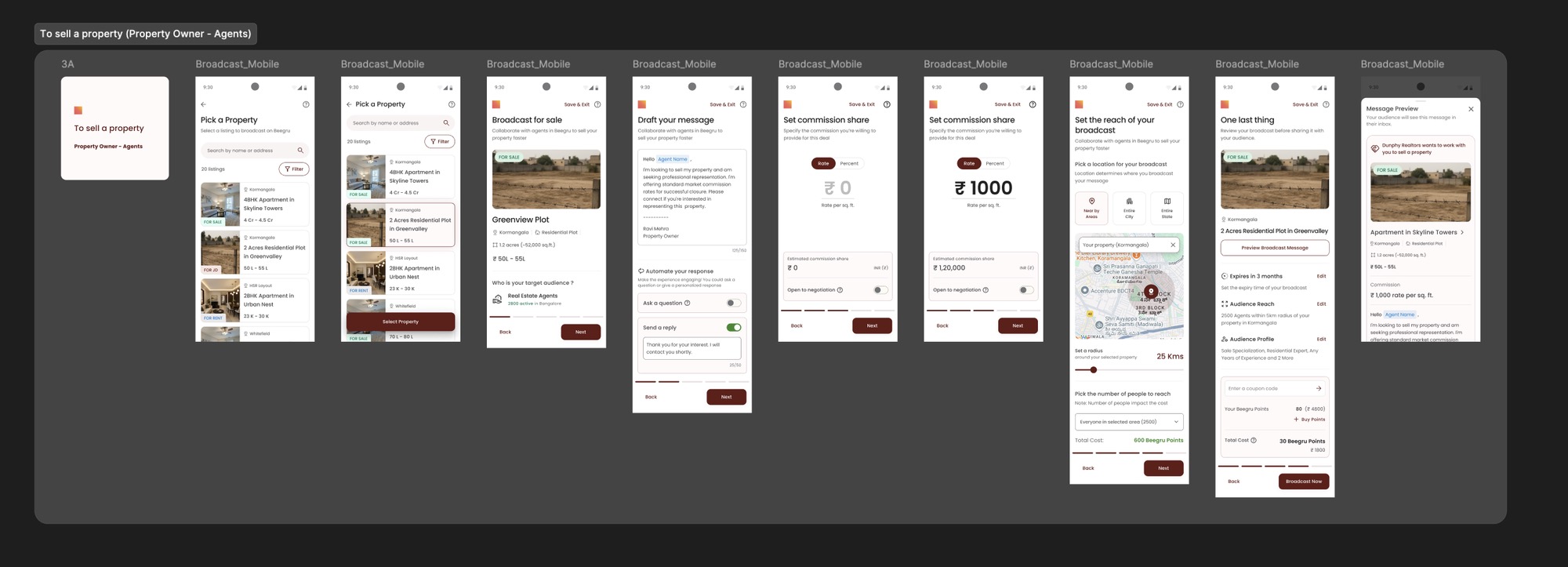
To sell a property · Property Owner – Agents
Commission is set as a rate per sq. ft. or a percent, with an estimated share (₹1,000 per sq. ft. ≈ ₹1,20,000) and an Open to negotiation switch.
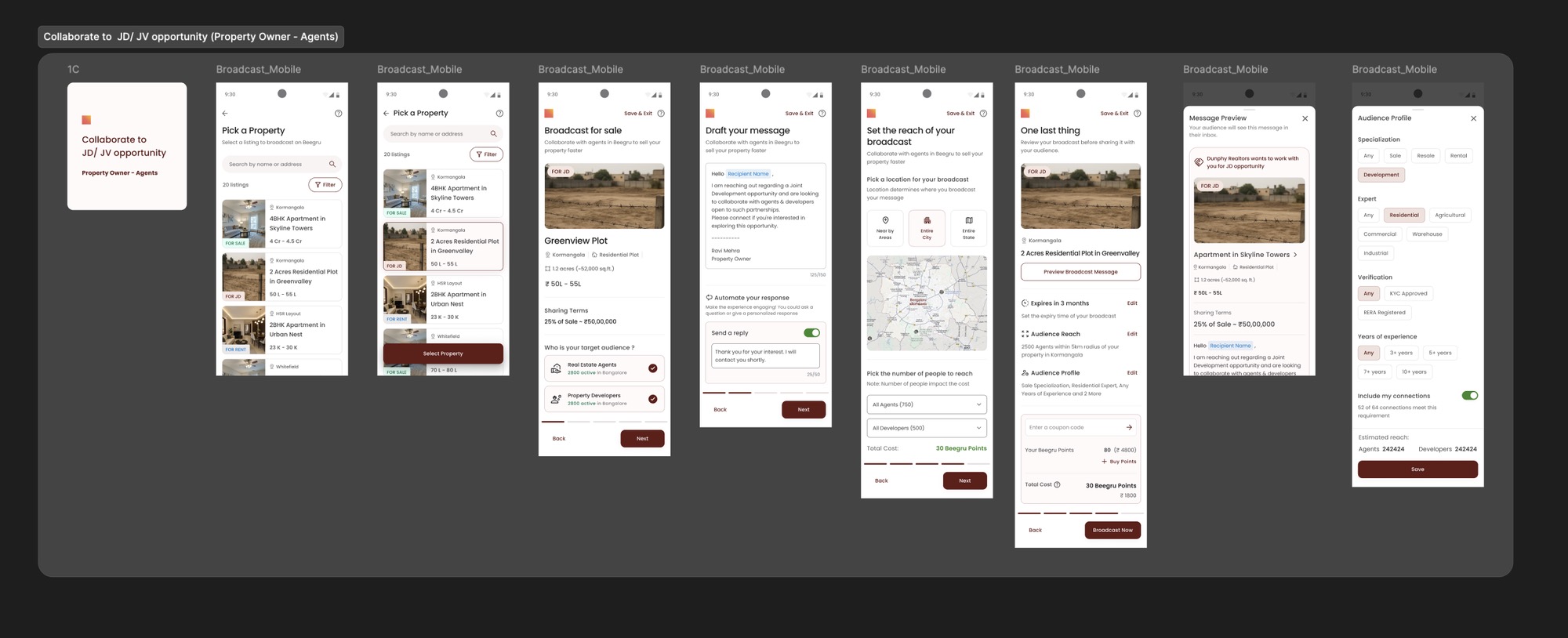
Collaborate to JD / JV opportunity · Property Owner – Agents
The audience widens to Real Estate Agents and Property Developers, the listing carries its sharing terms (25% of sale ≈ ₹50,00,000), and reach is picked for agents and developers separately.
Every one of these screens went through the loop below: daily Clarity analysis, user testing and iterative launches.
Research with data
Clarity daily analysis
In my team I introduced a way to analyse Clarity recordings and user movement on a daily basis, to keep us informed and help us understand problems faster.
Output received after implementation
My contributions
As part of a continuous cycle of design, testing and delivery, we focused heavily on the data side of decision-making. With a structured process in place, including regular user interviews, feedback loops and alignment workshops, we ensured that each design decision was grounded in real user insight and business needs.
For one particular project, I mapped and segregated key data sources to guide specific design outcomes. After implementing these decisions, we tested extensively with users, launched iteratively, and made daily recalibrations based on real usage patterns. By the end of Q1, this approach resulted in a strong, validated outcome that aligned both user behaviour and business objectives.
Impact
Beegru: before vs after feature impact
- 10% ▲Conversion
- 26% ▲User engagement
- 20% ▲Feature attach rate
- 22% ▲Design deployment speed
- 33% ▲User satisfaction
- 24% ▲Lead generation
- 35% ▲Revenue impact
- 38% ▲Retention rate